

ZoomDeploy Services
Zoom Room installation that’s clean, reliable, and ready to meet
From room assessment to cabling, hardware setup and handover—ZoomDeploy delivers a Zoom Room that works first time, every time.
What’s included
End-to-end installation for meeting rooms of any size
We handle the details that make Zoom Rooms feel effortless: correct camera framing, clear audio pickup, tidy cable management, and a consistent user experience across rooms.
Room survey & design
Assess acoustics, lighting, display placement and network readiness. We recommend the right Zoom Room kit and layout for your space.
Hardware installation
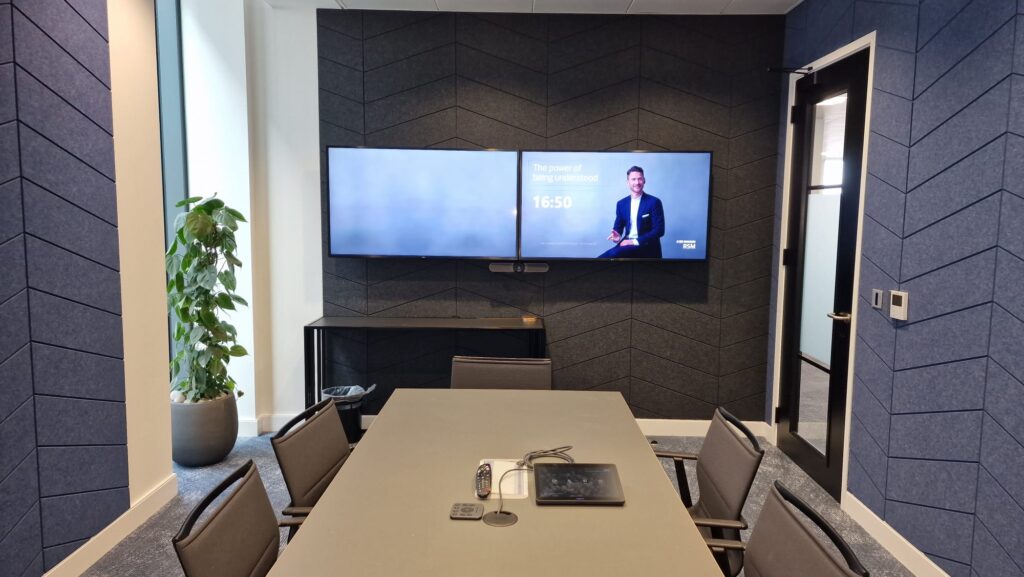
Mount displays, install cameras, microphones and speakers, and run cabling neatly—minimising disruption to your workplace.
Zoom Rooms configuration
Configure Zoom Rooms, controllers, calendars, signage and device settings so rooms are consistent and easy to use.
Testing & handover
We test audio/video, screen sharing and join flows, then hand over with simple room guides and best-practice tips.
Why ZoomDeploy
Installs built for uptime and a great in-room experience
Our process
A straightforward path from survey to go-live
Clear steps, clear timelines, and no surprises. Here’s how a typical Zoom Room installation runs.
1) Discovery & room survey
We confirm room goals, participant counts, existing equipment, power and network. You’ll get a practical recommendation for hardware and layout.
2) Pre-install planning
We schedule works around your availability, confirm cable routes and mounting points, and prepare configuration details (calendars, naming, policies).
3) Install & configure
We install hardware, run and dress cabling, configure Zoom Rooms and controllers, and integrate calendars for one-touch join.
4) Test, optimise & handover
We validate audio/video, screen sharing and peripherals, then provide a quick walkthrough and simple room guidance for users.
Zoom Room Installation FAQs
Common questions we hear before an install—answered.
How long does an installation take?
Most single-room installs can be completed in a day, depending on cabling and mounting requirements. Multi-room rollouts are planned in phases to minimise disruption.
Can you work with our existing displays and cabling?
Yes—where it makes sense. We’ll assess what can be reused safely and reliably, and advise if any upgrades are needed for the best Zoom Rooms experience.
Do you support calendar integration?
We can configure one-touch join with Microsoft 365 or Google Workspace, and align room naming and resource settings for consistent scheduling.
Will our network be ready for Zoom Rooms?
We’ll check connectivity and recommend best practices for bandwidth, Wi‑Fi vs wired, and any QoS or firewall considerations. Final network changes are typically handled by your IT team, with our guidance.
Do you provide training for staff?
Yes. We offer user training and quick-start guidance as part of handover, and can provide deeper training for admins and power users—see Configuration & Training.
What happens after installation?
We can provide ongoing monitoring, updates and support—see Support & Maintenance for options.